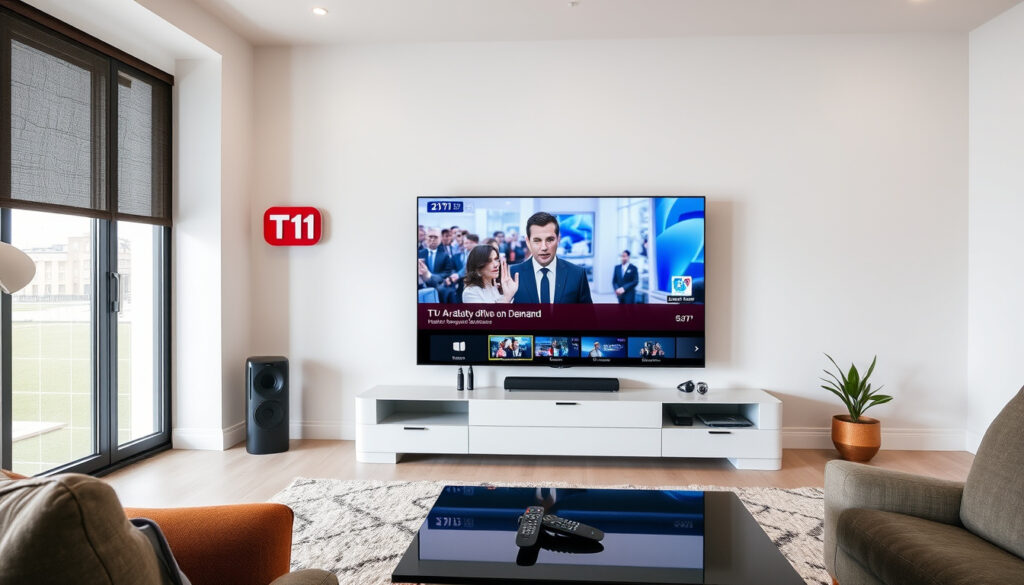
How to Watch TV1 News on Demand: Free Streaming Guide
If you’re in New Zealand and want to catch up on the latest from 1News (formerly TV1) without being tied to the broadcast schedule, the good news is you have several free options. The official route is TVNZ+, the free streaming platform from the national broadcaster that offers both live TV and on-demand news. This guide walks you through the exact steps to watch TV1 news on demand, whether you’re on a computer, phone, or smart TV.
TV1 news on demand available on: TVNZ+ (formerly TVNZ OnDemand) ·
Cost: Free with ads ·
Supported devices: Smart TVs, phones, tablets, game consoles, PC ·
Geo-restriction: New Zealand only (VPN may bypass)
Quick snapshot
- TV1 (now called 1News) is TVNZ’s flagship news channel (Freeview NZ (channel 1 listing))
- On-demand access available via TVNZ+ (TVNZ (official streaming platform))
- Includes live streams, full episodes, and clips (Freeview NZ (channel 1 listing))
- TVNZ+ is free with ads (TVNZ (free live and on-demand TV))
- No subscription required (TVNZ (free live and on-demand TV))
- Create a free account to save favourites (TVNZ (free live and on-demand TV))
- Smart TVs (Samsung, LG, Android TV)
- Mobile phones and tablets
- Games consoles and streaming sticks
- Geo-blocked outside New Zealand — VPN may work but check terms
- App crashing — update or reinstall
- Website not loading — clear cache
Six key facts about the service at a glance, one pattern: the whole ecosystem is built around free, ad-supported access across every common device type.
| Fact | Value |
|---|---|
| Service name | TVNZ+ (formerly TVNZ OnDemand) |
| Content | 1News (TV1) – live and on-demand news |
| Cost | Free (ad-supported) |
| Legal access region | New Zealand only |
| Official website | tvnz.co.nz/shows |
| App stores | Google Play, Apple App Store, TV app stores |
TVNZ+ is not a hidden specialty service — it’s the default free streaming platform for the country’s public broadcaster. For anyone in New Zealand, the cheapest path to 1News on demand is also the most official.
How to watch TV1 on demand?
Using the TVNZ+ website on a computer
- Open your browser (Chrome, Firefox, Safari, or Edge) and go to TVNZ (free streaming platform with on-demand news).
- Click “Live TV” in the top navigation to watch the 1News broadcast in real time.
- Browse the “News” category for on-demand episodes and clips.
- No account needed for basic viewing, but registering a free account lets you save favourites and resume where you left off (TVNZ Help Centre (desktop and mobile access guide)).
Using the TVNZ+ app on a mobile device
- Download the TVNZ+ app from the Google Play Store (TVNZ+ app for live and on-demand TV) or 1News app (Google Play listing for news-specific content).
- Alternatively, the separate 1News app is dedicated to news — install the 1News app from the App Store or Google Play (TVNZ Help Centre (app installation instructions)).
- Open the app, tap “Live” for the 1News broadcast, or browse “Videos” for on-demand clips.
- The 1News app is free and provides the latest local and international news and current affairs (Google Play (1News app description)).
Watching on a smart TV or streaming device
- Install the TVNZ+ app from your TV’s app store.
- Search for “TVNZ+” using the on-screen keyboard.
- Once installed, open the app, select “Live TV”, and choose TVNZ 1 to watch the 1News broadcast.
- For on-demand news, navigate to the “News” section within the app.
For New Zealand viewers, the official TVNZ+ app is the single gateway to both live and on-demand 1News. The separate 1News app is a useful alternative if you only want news content and want a more lightweight app.
The implication: the most reliable method is the TVNZ+ app itself. The 1News app is more narrowly focused and may not carry all the same on-demand episodes that the main TVNZ+ platform does.
Is TVNZ OnDemand free?
Yes — TVNZ OnDemand (now called TVNZ+) is free to use with commercial breaks (TVNZ (free live and on-demand streaming)).
Free with ads
- No credit card required for basic access.
- Some content may require a login, but no payment is needed.
- The service is ad-supported, meaning you’ll see commercial breaks during live streams and on-demand episodes.
TVNZ+ subscription options (if any)
- There is no paid tier for TVNZ+; the entire service is free.
- TVNZ+ does not offer an ad-free version at any price point.
Differences from paid streaming services
- Unlike Netflix or Neon, TVNZ+ costs nothing — no subscription fee, no trial period.
- The trade-off: you get ads, and the content library is limited to what TVNZ has broadcast (primarily NZ-made shows, British imports, and news).
- For watching 1News on demand, TVNZ+ is the only free, legal option from the broadcaster itself.
The pattern: free access comes with ads as the price of admission, but for news — which you watch for timeliness, not cinematic immersion — that trade-off is usually invisible.
How do I watch TVNZ on demand on my TV?
Installing TVNZ+ on Samsung Smart TV
- Press the Home button on your Samsung remote.
- Navigate to the Apps section (look for the “Apps” icon).
- Search for “TVNZ+” using the on-screen keyboard.
- Select the TVNZ+ app and choose “Install”.
- Once installed, open the app and enjoy live and on-demand news.
- Works on Samsung Smart TVs from 2017 onwards.
Installing TVNZ+ on LG Smart TV
- Press the Home button on your LG remote.
- Open the LG Content Store.
- Search for “TVNZ+”.
- Click “Install” and wait for the download to complete.
- Launch the app and browse for 1News content.
- Works on LG TVs running webOS 3.5 or newer.
Using Apple TV, Chromecast, or Fire Stick
- Apple TV: Open the App Store, search for “TVNZ+”, and install.
- Chromecast: From your phone or tablet, open the TVNZ+ app and tap the Cast icon. Select your Chromecast device.
- Fire Stick: From the Amazon Appstore, search for “TVNZ+” and install on your Fire TV Stick.
The catch: not every smart TV model supports the TVNZ+ app. If your TV is older than 2017, or runs a non-standard operating system (like older Samsung or LG models), you may need to fall back to using a streaming stick or casting from your phone.
Why can’t I access TVNZ OnDemand?
Geographic restrictions (overseas users)
- TVNZ+ is geo-blocked: it only works for IP addresses located in New Zealand.
- If you try to watch from Australia, the UK, the US, or anywhere else, you’ll see a “content not available in your region” message.
- Using a VPN may technically bypass this, but it may violate TVNZ’s terms of service (TVNZ Help Centre (geo-restriction guidance)).
App or website not loading
- Clear the app’s cache or browser cache.
- Update the TVNZ+ app to the latest version via your device’s app store.
- Restart your device.
- Check TVNZ’s TVNZ Help Centre (official troubleshooting page) for known outages or issues.
Account/login problems
- If you’re having trouble logging in, reset your password via the TVNZ+ website.
- Make sure you’re using the correct email address associated with your account.
- If you don’t have an account, you can still watch most content without logging in — login is only required for features like saving favourites.
For Kiwis abroad, the official geo-block is the single biggest barrier to watching 1News on demand. A VPN might work, but it’s a grey area — and for reliable access, no free method matches what’s available inside New Zealand.
The pattern: geo-blocking is the hard wall. For anyone overseas, the only truly safe legal method is to find a friend in New Zealand who can log you in — or accept that the official service won’t work outside the country.
How do I install TVNZ+ on my Smart TV?
Finding the TVNZ+ app in the store
- On your smart TV remote, press the “Home” or “Smart Hub” button.
- Navigate to the “Apps” section — usually a row of app icons or a dedicated menu.
- Use the search function (magnifying glass icon) and type “TVNZ+”.
- Select the official TVNZ+ app from the results (it should display the TVNZ logo).
Downloading and installing
- Select the TVNZ+ app and choose “Install” or “Download”.
- Wait for the download to complete — this usually takes less than a minute on a stable internet connection.
- Once installed, the app will appear on your TV’s home screen or app list.
Logging in or creating an account
- Open the TVNZ+ app.
- If you already have a TVNZ account, select “Log in” and enter your email and password.
- If you’re new, select “Create account” or “Register”. You’ll need a valid email address and a password.
- Follow the on-screen instructions to complete setup — no payment details are required (TVNZ (free account registration)).
What this means: installation takes about three minutes on most smart TVs. The longest step is usually typing in your email address with the on-screen keyboard.
Confirmed facts
- TVNZ+ is the official on-demand platform for TV1 news (TVNZ (official streaming platform)).
- The service is free with commercials (TVNZ (free live and on-demand TV)).
- Geo-blocking restricts access to New Zealand IP addresses (TVNZ Help Centre (geo-restriction details)).
- TVNZ 1 (1News) is available in HD via Freeview, satellite, and the Freeview Streaming TV app (Freeview NZ (channel 1 listing in HD)).
- The 1News app is available from Google Play and the App Store (Google Play (1News app by TVNZ International Limited)).
What’s unclear
- Whether VPN use is explicitly banned in TVNZ+’s terms of service — the help centre does not address this directly.
- Exact list of older smart TV models (pre-2017) that no longer support the TVNZ+ app.
Blockquotes from the official sources
“TVNZ 1, TVNZ 2, and DUKE can be watched live and free through TVNZ+”
Google Play (TVNZ+ app description citing live channel availability)
“Viewers can watch free movies, TV shows, news, sport, and live TV online”
TVNZ (official shows page)
“The 1News app lets users watch live TV news, follow sport as it happens, and watch videos of key moments”
Google Play (1News app feature listing)
“TVNZ 1 is available in HD through a UHF aerial, satellite dish, and the Freeview Streaming TV app”
Freeview NZ (TVNZ 1 HD broadcast details)
For anyone in New Zealand who wants to watch 1News on demand, the choice is straightforward: use the free TVNZ+ app on whatever device you have, or install the 1News app for a news-only experience. For Kiwis overseas, the geo-block is the hard line — and the best alternative is to ask a friend back home to share their account, or explore VPN options with the understanding that they may not be officially supported.
apps.apple.com, channelstore.roku.com, amazon.com, nbcnews.com, tvone.tv, tvone.tv
Frequently asked questions
Can I watch TV1 news live on TVNZ+?
Yes — TVNZ+ offers a “Live TV” section where you can watch TVNZ 1 (including 1News broadcasts) in real time (TVNZ (live TV streaming)).
Do I need to create an account to watch TV1 on demand?
No — you can watch most on-demand content without an account. A free account is required only for features like saving favourites or resuming playback (TVNZ (free registration details)).
Is TVNZ+ available on Sky?
TVNZ+ is a separate streaming platform and is not available through Sky TV’s set-top box. However, you can watch TVNZ 1 (1News) through Freeview via satellite if you have a Freeview-compatible dish (Freeview NZ (TVNZ 1 via satellite)).
How do I watch TV1 news on demand on my phone?
Download the TVNZ+ app or the 1News app from the Apple App Store or Google Play. Both are free and give you access to live news and on-demand clips (Google Play (1News app); TVNZ Help Centre (app installation guide)).
Can I download TV1 news episodes to watch offline?
No — TVNZ+ and the 1News app do not currently offer a download feature. You need an active internet connection to stream content (TVNZ (streaming-only service)).
What is the difference between TV1 and 1News?
TV1 was the former name of the channel now called TVNZ 1. 1News is the news brand that broadcasts on TVNZ 1. In practice, “TV1 news” and “1News” refer to the same news service (Freeview NZ (TVNZ 1 channel listing)).
Why does TVNZ+ keep buffering?
Buffering is usually caused by a slow or unstable internet connection. Try closing other apps, moving closer to your Wi-Fi router, or using a wired Ethernet connection. If the problem persists, check TVNZ’s TVNZ Help Centre (troubleshooting guide) for known issues.
Is there a dedicated TV1 news app?
Yes — the 1News app is the dedicated news app from TVNZ. It is available on the Apple App Store and Google Play and provides live news, on-demand clips, and written articles (Google Play (1News app by TVNZ International Limited)).
Related reading: Ukraine Military News Today: Latest Updates and Analysis · Free Online Courses NZ: Guide to Study Options
More related posts
 Australia Social Media Ban: What’s Banned and How It Works
 Time in Germany Now: Current Local Time & Time Zone Info
 Rangiora Eco Holiday Park: Rates, Reviews & Location
 Best Vitamin C Serum NZ: Top Picks for Glowing Skin
 Te Kaha Stadium Capacity: Seats, Concerts & Roof Details
 Are Supermarkets Open Today? Irish Hours & Pay Guide
 The Langham Gold Coast: Owner, Breakfast, Pool & High Tea Guide
 Where to Learn Languages for Free: Best Apps & Sites
