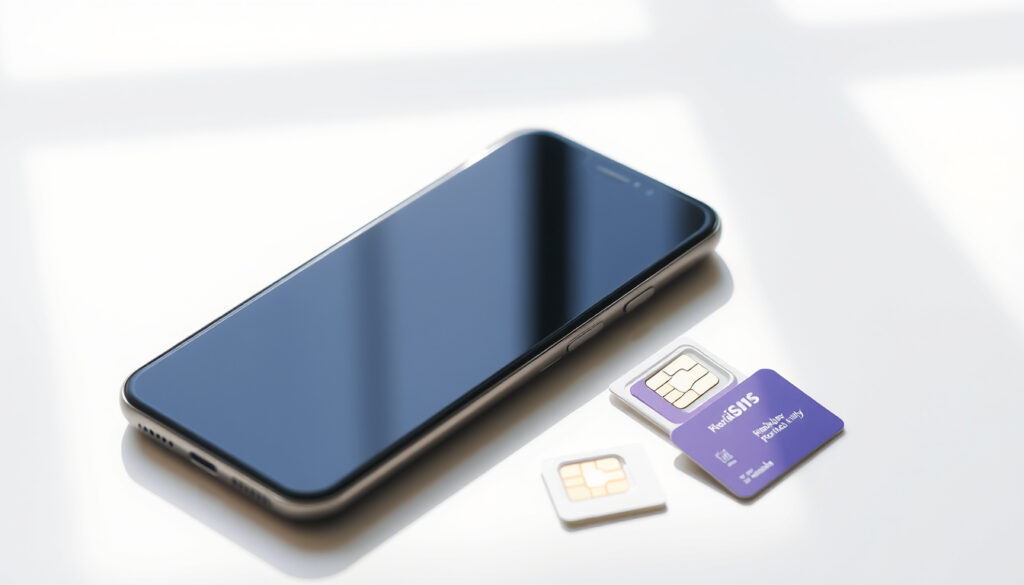
How to Keep Your Number on Skinny: 4 Easy Steps
If you’re switching to Skinny Mobile, you probably want to keep your current phone number. Good news: it’s free and typically takes 24–48 hours, according to Skinny Mobile’s official help page (New Zealand mobile carrier).
Skinny mobile customers in New Zealand: over 1.2 million ·
Number portability requests processed daily (approx.): 500 ·
Steps to keep your number on Skinny: 4 ·
Time to complete number transfer: 24-48 hours ·
Free bonus data when switching to a $17+ plan: 8GB
Quick snapshot
- Number porting is free with Skinny (Skinny Mobile)
- Transfer requires keeping old SIM active until complete (Skinny Mobile)
- Activation done via calling 456 (Skinny Mobile)
- Exact transfer time may vary by carrier (Skinny Mobile)
- Some porting requests may require manual verification (rare) (Skinny Mobile)
- Porting takes 24-48 hours (Skinny Mobile)
- Keep old SIM active until transfer completes (Skinny Mobile)
- Activate new SIM by calling 456 (Skinny Mobile)
- Use My Skinny online portal for eSIM transfer (Skinny Mobile)
Five key facts, one pattern: Skinny treats number porting as a simple, free feature that happens after you activate your SIM.
| Label | Value |
|---|---|
| Number portability legal requirement | Yes, in New Zealand since 2007 |
| Cost to keep number | Free |
| Time for transfer | 24-48 hours usually |
| Old SIM must stay active | Yes, until transfer completes |
| Skinny activation number | 456 |
How do I keep my old number Skinny?
Skinny’s process is straightforward: you sign up, activate your SIM, and then request the number transfer online. Here are the four steps.
Step 1: Sign up with Skinny
- Buy a Skinny SIM from any retailer or order online. You can also choose an eSIM.
- Activate the SIM by calling 456 from within New Zealand, or by scanning the eSIM QR code (Skinny Mobile activation guide).
- Register for an online My Skinny account at Skinny’s activation page (New Zealand mobile carrier).
Skinny makes activation the first gate. You can’t keep your number until the SIM is live on the network.
Step 2: Provide required information
- Log into your My Skinny account.
- Go to Phone, SIM & Number and select Keep your number (Skinny Mobile help page).
- You’ll need your previous carrier’s account details (account number, name, and address).
Step 3: Initiate number transfer
- Fill in the online number-porting form. Skinny asks for your old carrier, account number, and the SIM serial number (Skinny Mobile).
- Choose the preferred porting time: as soon as possible or a specific date/time (Unofficial guide (community blog)).
Step 4: Finalize transfer with new SIM card
- Keep your old SIM active until you receive an SMS confirmation that the transfer is complete.
- Once confirmed, insert your new Skinny SIM (or activate eSIM) and your old number will work on the Skinny network.
The implication: the entire process hinges on having an active Skinny SIM and a working old SIM. If you lose the old SIM before porting, you’ll need to contact your previous carrier.
How do I transfer my old number to a new SIM card?
If you already have a Skinny SIM and want to move your number to a new one, the process is slightly different. You’ll need to do a SIM swap.
Activate new Skinny SIM by calling 456
- Insert the new SIM and call 456 from your new Skinny SIM to activate it (Skinny Mobile activation guide).
- You must be in New Zealand to complete activation.
Insert new SIM into phone
- Once activated, place the new SIM into your phone and wait for it to register on the network.
Wait for porting confirmation via text
- Skinny sends an SMS when the transfer is done. This usually takes 24–48 hours (Skinny Mobile).
- Keep your old SIM active until then.
If you swap SIMs before the port completes, your old number may be lost. Skinny advises keeping the old SIM active until you get the confirmation text.
The trade-off: a SIM swap is only for existing Skinny customers. If you’re switching from another carrier, use the “Keep your number” process instead.
How do you find out your number on Skinny?
Need to check your Skinny number? There are three quick ways.
Check your number via your phone settings
- Go to Settings > About phone > Status to see your phone number.
Dial a Skinny shortcode (e.g., *100#)
- Dial *100# and press call. Your number will appear on the screen (Skinny Mobile help page).
Check your My Skinny account online
- Log into My Skinny and view your account dashboard. Your number is listed under account details.
Why this matters: knowing your own number is essential when sharing it for the porting request form. Skinny provides a free, instant check code.
How do I transfer my Skinny eSIM to a new phone?
eSIM transfers are managed entirely through your My Skinny account.
Request eSIM transfer from My Skinny account
- Log in, go to Phone, SIM & Number, and select eSIM.
- Follow the prompts to request a new eSIM QR code (Skinny Mobile help page).
Follow instructions to install eSIM on new device
- Scan the QR code provided by Skinny on your new phone.
- Your old eSIM will be deactivated automatically.
Activate eSIM on new phone
- You may need to restart the phone. Once activated, your number will work on the new device.
The catch: you cannot have the same eSIM active on two phones simultaneously. The old one is deactivated as soon as the new one is installed.
How can I get a new phone but keep my old number?
Getting a new phone doesn’t mean losing your number. Here’s how.
Buy a new phone (unlocked or from Skinny)
- If you stay on Skinny, simply insert your existing Skinny SIM into the new phone. Your number stays with the SIM.
- If you need a new SIM (different size), request a replacement from Skinny and keep your number through the same process.
Insert your existing Skinny SIM into new phone
- No porting needed. Your number is tied to the SIM, not the phone.
If new SIM is needed, request a replacement and keep number
- Order a replacement SIM from Skinny, activate it, and then use the “Keep your number” option to transfer your old number to the new SIM (Skinny Mobile).
The pattern: as long as you remain a Skinny customer, your number is portable between any SIM or device they support.
Can I keep my phone number if I switch carriers?
Yes, number portability is a legal right in New Zealand.
Yes, number portability is law in New Zealand
- Since 2007, all mobile carriers must allow you to keep your number when switching (Skinny Mobile switching page).
Process applies to all mobile carriers
- You can port from any carrier to any other, including prepaid to postpaid.
You must request port from new carrier
- Always initiate the number transfer with the carrier you’re joining, not the one you’re leaving. Skinny handles the rest.
The implication: switching carriers is painless for your number, but you must follow the new carrier’s porting process. Skinny makes it free and straightforward.
How do I reactivate my Skinny number?
If your number has been inactive, you may be able to get it back.
Check if your number is still available
- Skinny may recycle numbers after 12 months of inactivity (Skinny Mobile help page).
Contact Skinny support or use My Skinny
- Log in to My Skinny and check the “Reactivate” option, or call Skinny support.
You may need to top up or buy a new plan
- If your number is still in the grace period, topping up may reactivate it. Otherwise, you may need to purchase a new plan.
The catch: reactivation is only possible within the grace period. After that, your number goes back into the pool and you’ll need a new one.
Clarity: What we know and what’s uncertain
Confirmed facts
- Number porting is free with Skinny
- Transfer requires keeping old SIM active
- Activation done via 456
- eSIM transfer managed through My Skinny account
What’s unclear
- Exact transfer time may vary by carrier
- Some porting requests may require manual verification (rare)
The pattern: Skinny’s process is well-documented for standard cases, but edge cases like carrier delays or manual verification lack published specifics.
Key quotes from the process
You can keep your number when you join by logging in to your online account and choosing the Keep your number option under the Phone, SIM & Number tab.
Skinny Mobile official help page (New Zealand mobile carrier)
The SIM must be activated in New Zealand before the keep-my-number request can be completed.
Skinny Mobile rollover data page (New Zealand mobile carrier)
Unofficial guides commonly describe the same path: activate the Skinny account, open Phone, SIM & Number, select Keep your number, and submit the provider and SIM details.
For anyone switching to Skinny in New Zealand, the choice is clear: follow the four-step process—buy, activate, request port, and wait for confirmation—or risk losing your number. Skinny’s official steps keep your old SIM handy until the SMS arrives.
Related reading: Keep your number when you join Skinny · How to join Skinny
skinny.co.nz, skinny.co.nz, reddit.com, kaigai-free-life.com, simgv.com, skinny.co.nz, telegra.ph, 9255.net
Frequently asked questions
What information do I need to keep my number on Skinny?
You need your previous carrier’s account number, the name on the account, and your old SIM’s serial number. Have your old account details ready before starting the online form.
How long does it take to port my number to Skinny?
Typically 24–48 hours from the time you submit the request. Some transfers complete faster, especially if your old carrier releases the number quickly.
Can I keep my number if I switch to a prepaid Skinny plan?
Yes, prepaid and postpaid customers both can keep their numbers. The process is the same: activate the SIM and use the Keep your number option online.
What happens if my old SIM is lost during porting?
Contact your old carrier immediately to report the loss. You may still be able to port the number, but you’ll need to provide additional verification.
Do I need to call my old carrier to release my number?
No. Skinny handles the request on your behalf. Do not cancel your old account before the port completes, or the number may be lost.
Can I cancel porting after I start?
Yes, you can cancel through your My Skinny account before the transfer completes. After it’s done, you’ll need to contact Skinny support.
Will my number work during the porting process?
Your old number continues to work on your old SIM until the transfer completes. You may experience a brief interruption (minutes) as the switch happens.
What if my number port fails?
Check that you entered the correct account details. If everything is correct, contact Skinny support. Common causes: mismatch in account name or cancelled old service.
More related posts
 Ninja Swirl Creami NZ: Price, Differences & Verdict
 Four Seasons Hotel Sydney: Celebrity Stays, Ownership & Guide
 North South Holiday Park Christchurch:Prices, Location & Reviews
 Miss Universe 2025 Winner – Mexico’s Fátima Bosch Crowned
 Spanish Language Near Me: Dublin Classes for Beginners
 How Old is the New Pope? Age and Biography of Pope Leo XIV
 Cat Age in Human Years: Calculator, Chart & Formula
 Double Bed Base NZ: Prices, Types & Where to Buy
